

Sales and Service Commission Software for Home Service Companies
Pay salespeople on the estimates they sell and technicians on the jobs they complete. Build your own commission structure, let TeamBuyIn calculate every payout, and run it all with your Housecall Pro or Jobber data.
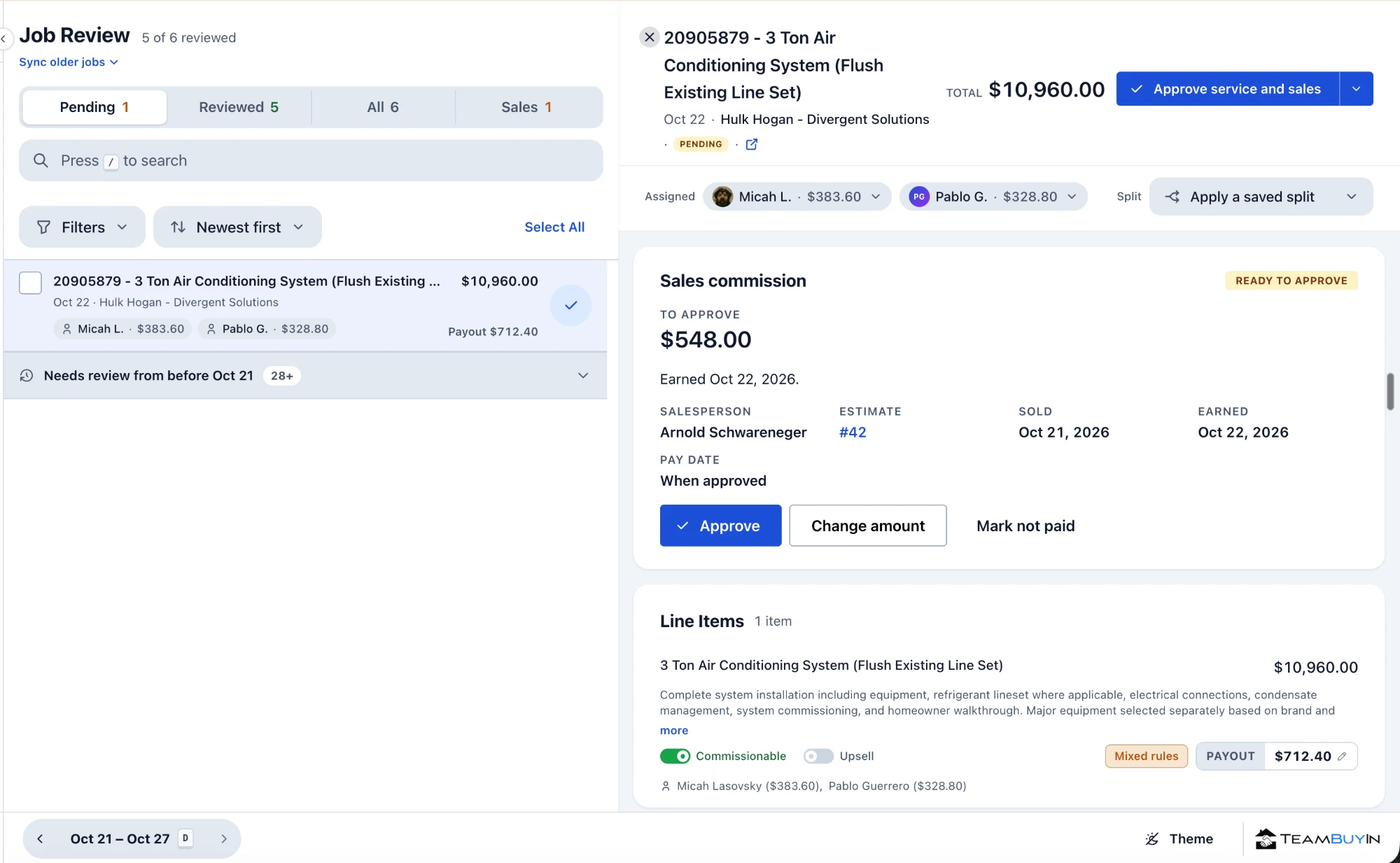
Pay the people who sell the work and the people who do it
TeamBuyIn is commission software for HVAC, plumbing, electrical, and any other home service company. It handles any kind of commission your team earns, whether it’s service commission, install commission, or sales commission.
| Detail | Sales commissions | Service commissions |
|---|---|---|
| Who earns it | Comfort advisors, sales reps, selling techs | Service techs and install crews |
| Paid on | The sold estimate | The job's line items |
| Pays when | Estimate approved, or job completed and approved by an admin | Job completed |
| Individual rates | Yes | Yes |
| Revenue tiers | Yes | Yes |
Both on the same job
When one person sells a job and another installs it, each earns their own commission on the same ticket.
Jordan
Comfort advisor
Paid on $12,000 sold estimate at 5%
$12,000 × 5% = $600
Alex
Lead installer
Paid on $12,000 in line items at 2%
$12,000 × 2% = $240
Total labor cost
Total commissions paid out for Jordan and Alex: 7% or $840
Hypothetical example.
Works the same in Housecall Pro or Jobber
Connect your field service software once. TeamBuyIn pulls in estimates, jobs, line items, and the people attached to each.
| Detail | Housecall Pro |  |
|---|---|---|
| Sales commission pays on | Estimate approved, or job completed and approved by an admin | Quote approved, or job completed and approved by an admin |
| Service commission pays on | Job completed | Job completed |
| When a job counts as completed | Job marked complete | Job marked complete and its invoice completed |
From sold estimate to approved payout
Estimates and jobs flow in
Connect Housecall Pro or Jobber once. Approved estimates and completed jobs arrive with their line items and the people who sold and worked them.
Job #4521 — AC Install
Sold by Jordan · Installed by Alex
TeamBuyIn calculates every payout
Your rules run automatically, so each job arrives with the seller's and the crew's commission already calculated.
You review and approve
Check the payout, adjust it if needed, and approve. Each person's earnings update as soon as you do.
Adjust payout
Employee dashboard updated
The Full Flow
Build the commission structure your business runs on
Start with the person, then decide how each job pays and what extra rewards sit on top.
01 / Set up each person
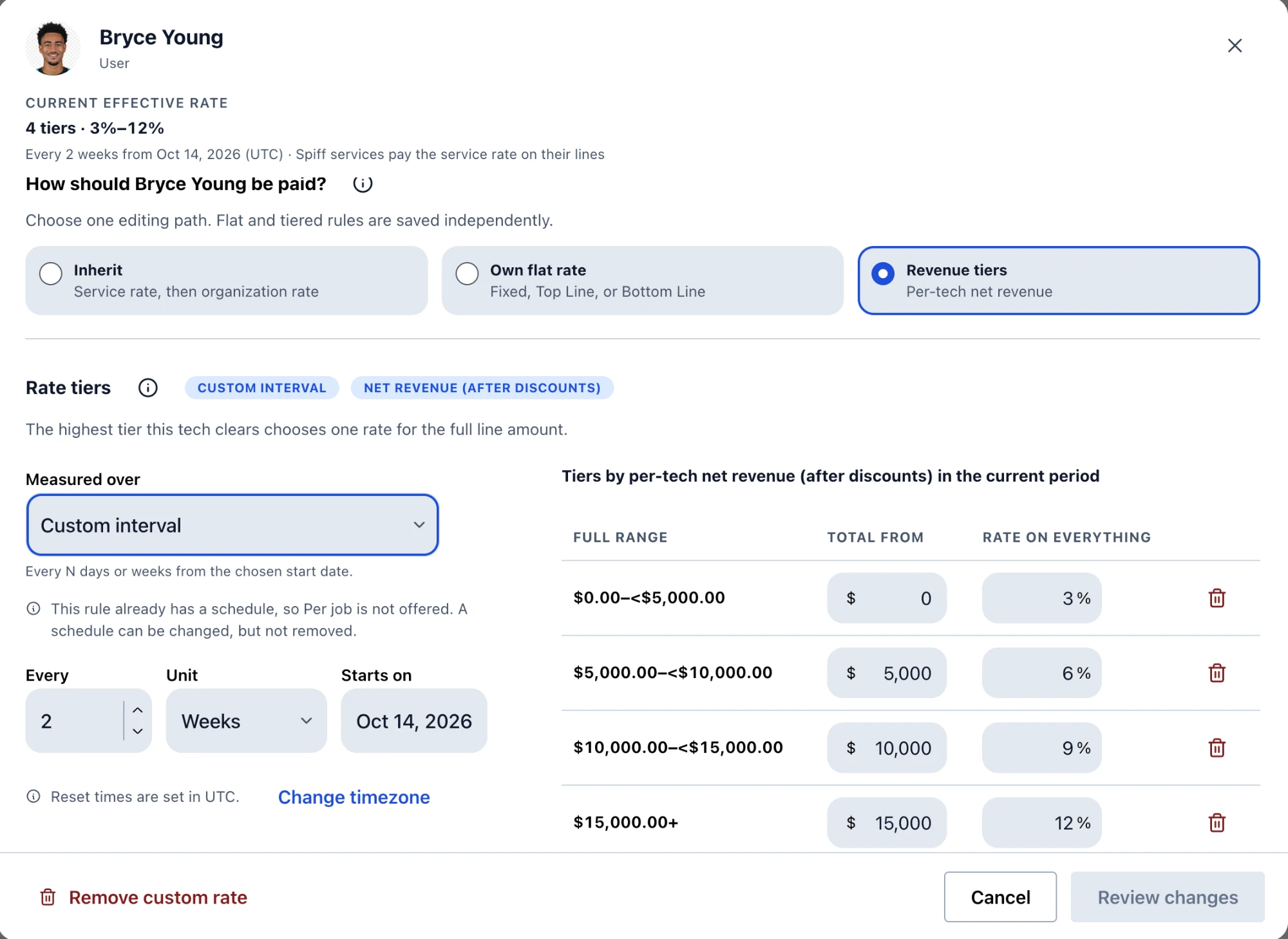
Create a user-based commission
Start with who earns it. Give each salesperson or technician a service-based commission, a straight commission, or a tiered commission.
Service-based commission
Each service in your pricebook pays by its own rule, the same for everyone.
Example
AC Install → 10%
Straight commission
Give each salesperson or technician their own rate, which overrides the service default.
Example
Alex gets 12% of revenue
Tiered commission
Raise a person's rate once their revenue crosses a threshold in the pay period: weekly, biweekly, or monthly.
Example
Crossed $20,000 → 10%
02 / Choose how each job pays
Set the commission per job
Every service in your pricebook can pay differently, using one of three calculation methods. Percentages work as user-based rates or revenue tiers.
Percentage of revenue
A percentage of what the item sold for.
Example
$4,200 job · 10% rate → $420
Percentage of profit
A percentage of what's left after parts and costs.
Example
$2,000 profit · 10% rate → $200
Fixed dollar amount
A set amount for a specific item. Fixed amounts are not tiered.
Example
Item with a fixed payout → $50
03 / Reward upsells
Add spiffs
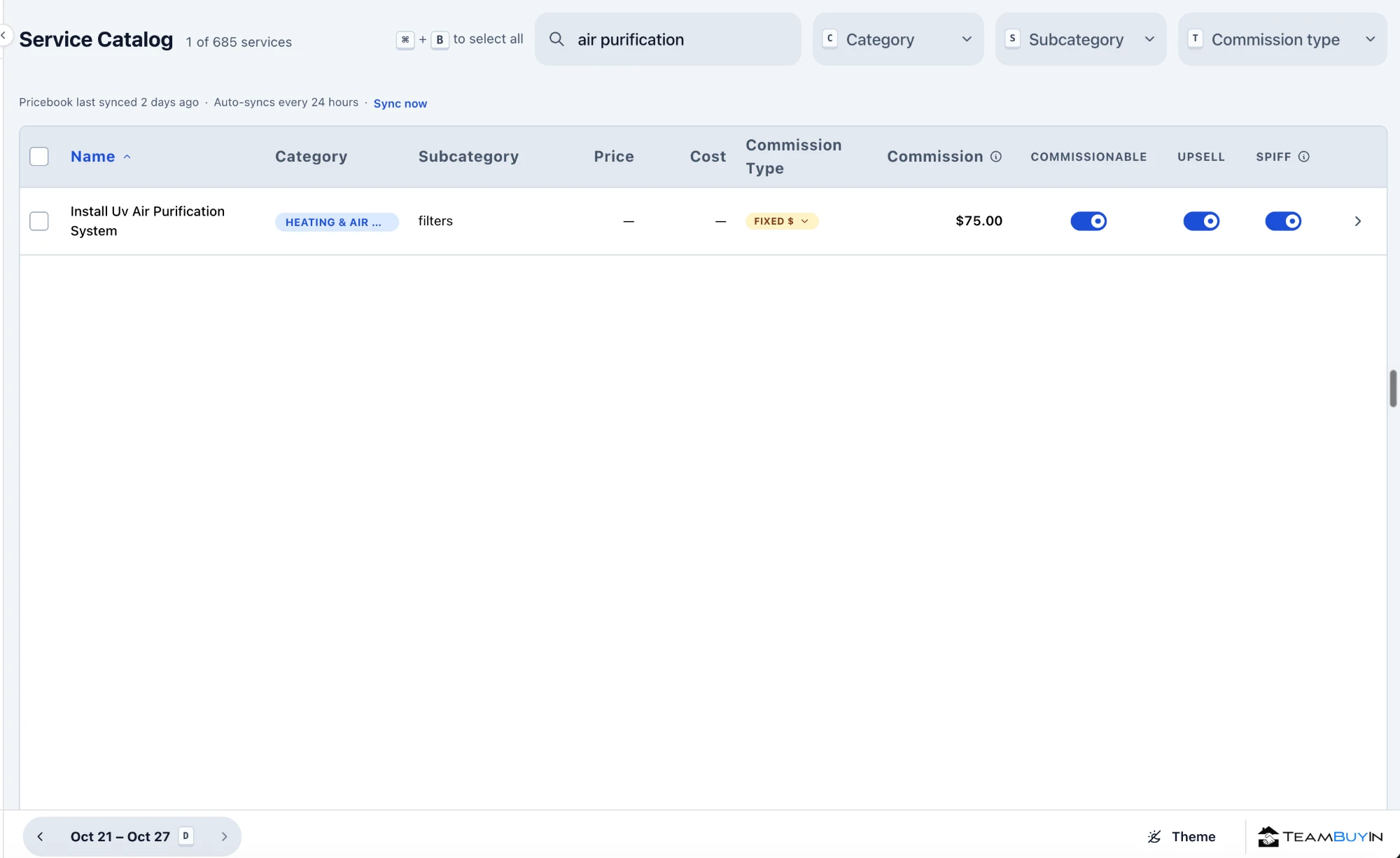
Create spiffs in your pricebook, or from your services, to reward upsells. A spiff can pay a percentage of revenue, a percentage of profit, or a fixed dollar amount on top of the base commission.
Using fixed incentives on specific items? Spiff Management →
Sales commissions are calculated as a percentage of the sold estimate and support individual rates and revenue tiers.
Your team sees what they earned
Once you approve a job, the payout shows up for the salesperson or technician who earned it. They can see what each job paid and what they’ve earned so far, from their phone, without asking the office.
Technician Visibility →Build commissions around your labor cost target
Start with the labor cost percentage your business needs to hit, then set commission rates that fit inside it. Use revenue tiers to pay a higher rate on production above the threshold you choose, so your best producers earn more as they bring in more.
Performance Pay Explained →Commission Management is one part of TeamBuyIn
Spiff Management
Create fixed-rate spiffs tied to specific services in your catalog
Callback Tracking
Track warranty work back to the job and adjust commissions when needed
Leaderboard
Rank techs by revenue, profit, or total payouts in real time
Scorecards
See per-tech performance stats including ticket size, margin, and callback rate
Technician Visibility
Give technicians a live mobile view of earnings, jobs, and performance