

Performance Pay Visibility for Service Technicians
Give technicians a real-time view of what they earned, how they earned it, and how they're performing, right from their phone.
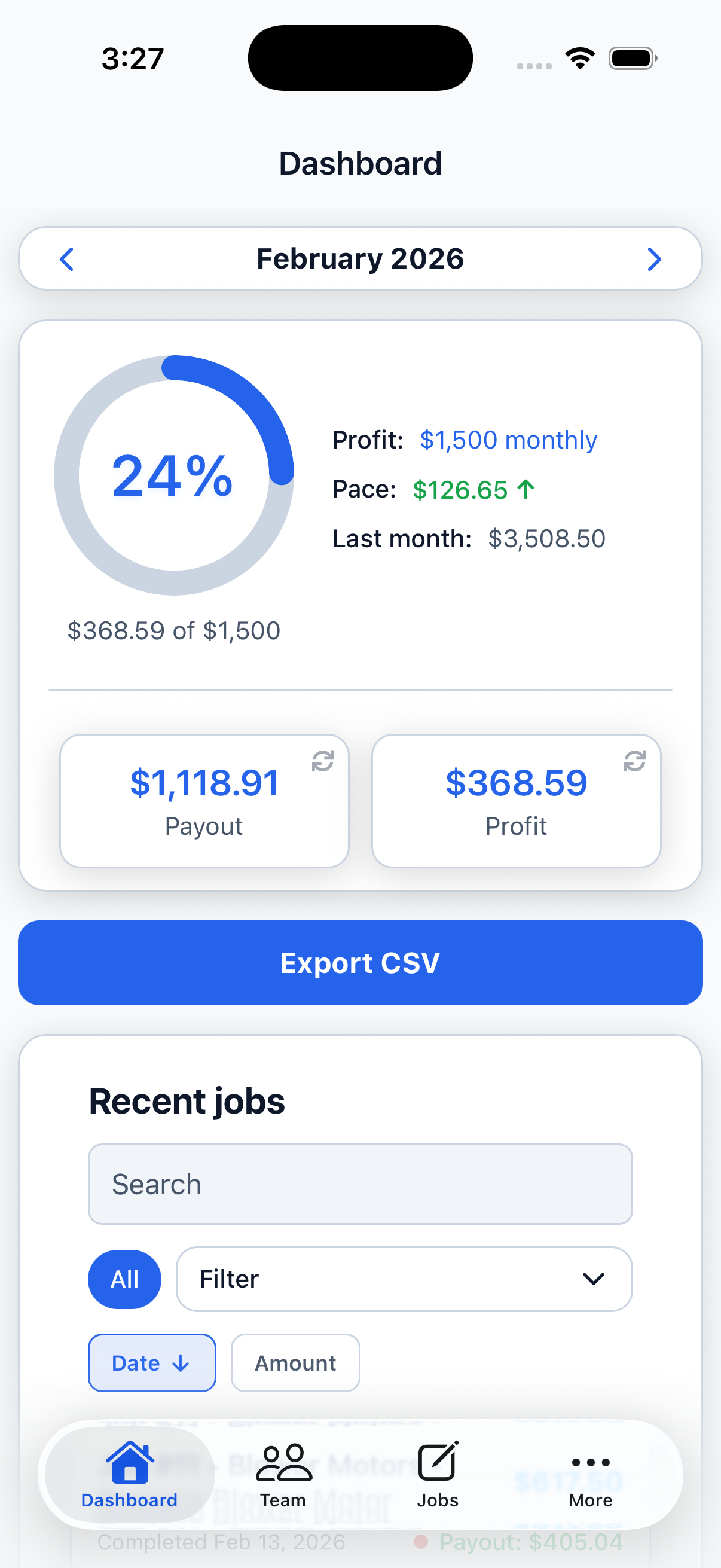
What can my technicians see?
Every job has a payout they can inspect
Technicians open any assigned job to see the work completed, job total, their payout, and its current status. The calculation is attached to the job, so their earnings make sense.
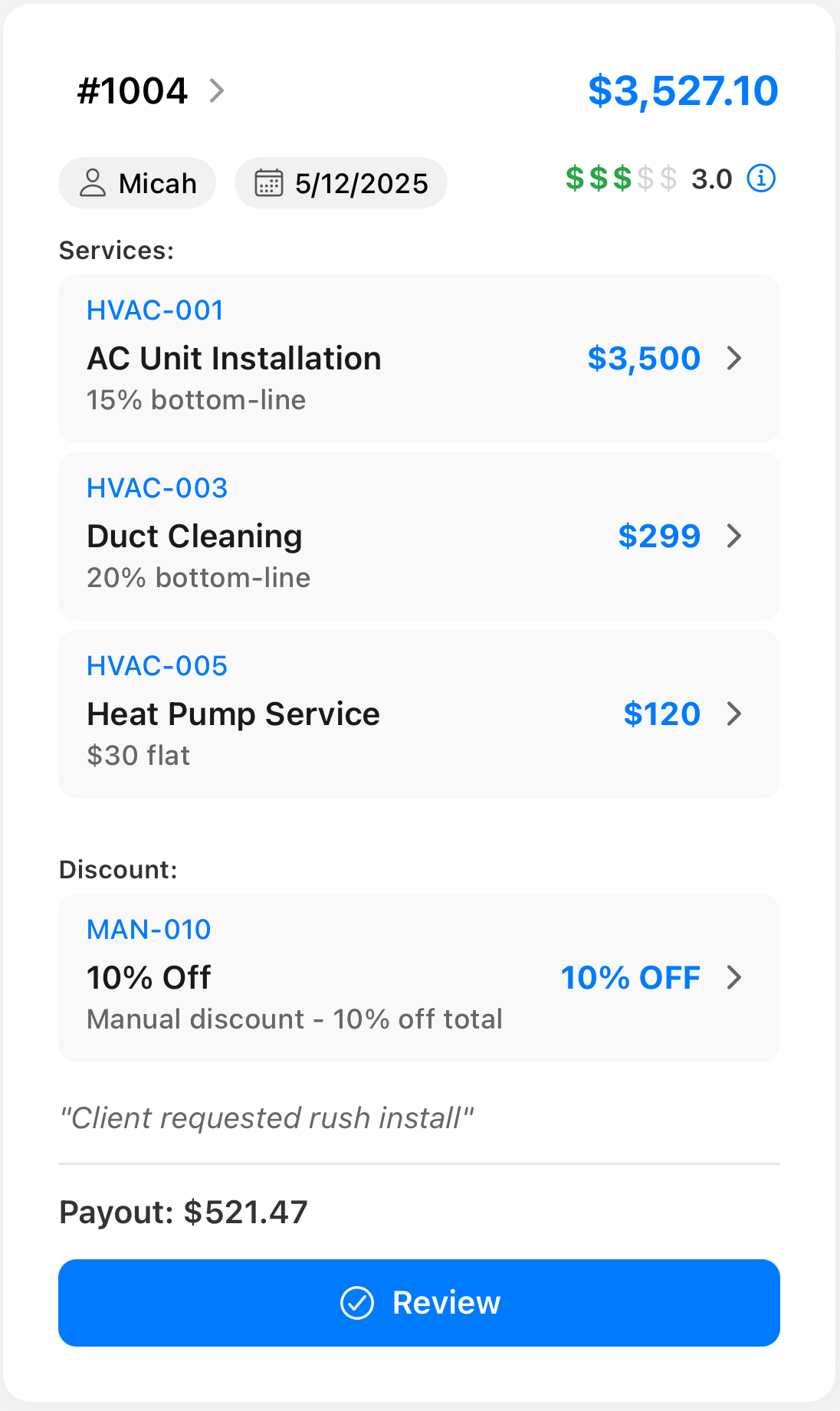
Know what you've earned before payday
Technicians can see their expected payout while a job is pending and the finalized amount after the office reviews it.
The job is complete and the expected payout is visible.
The office has verified the job and finalized the payout calculation.
The reviewed payout stays visible in the technician's history.
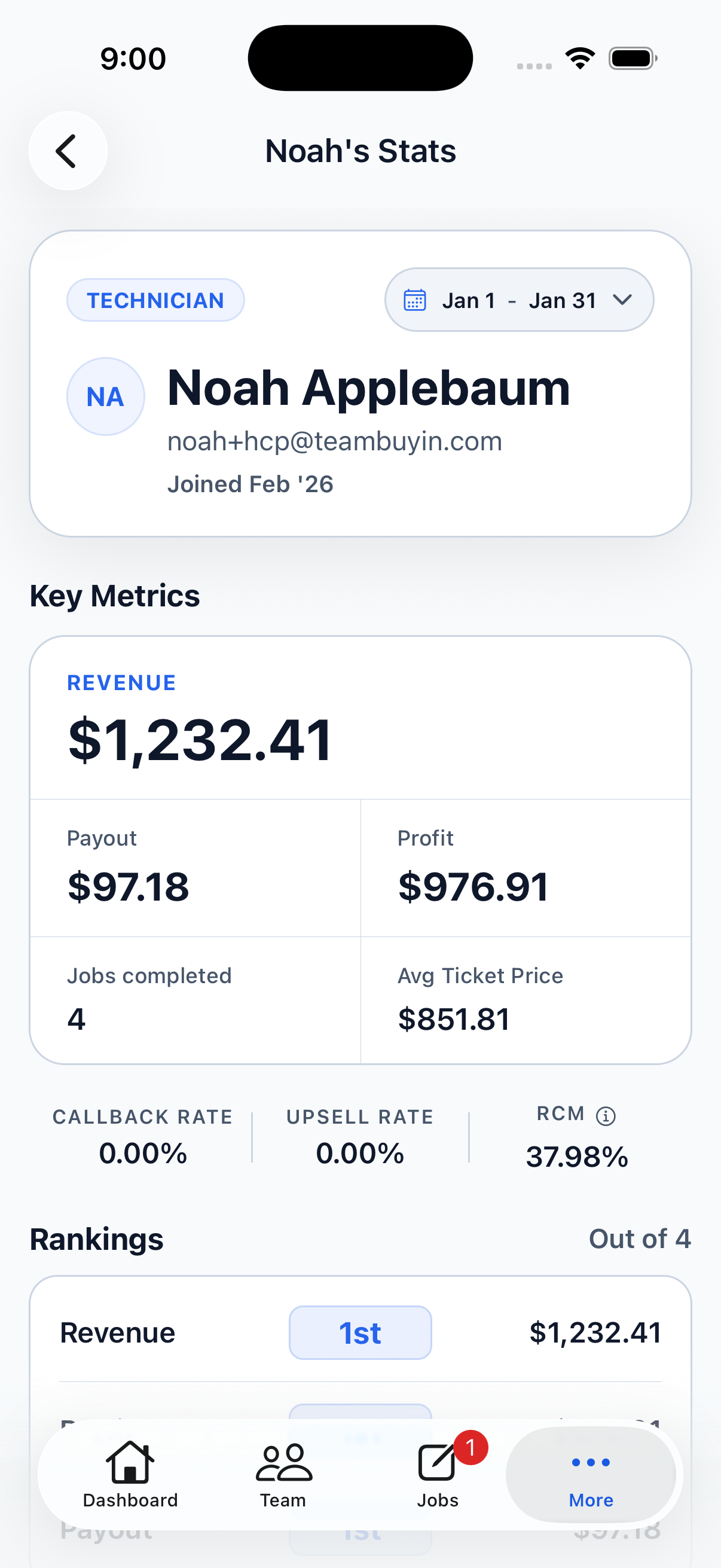
Their pay is only part of the picture
Technicians can also see how they're performing, without waiting for a meeting or asking the office.
Control what technicians can see
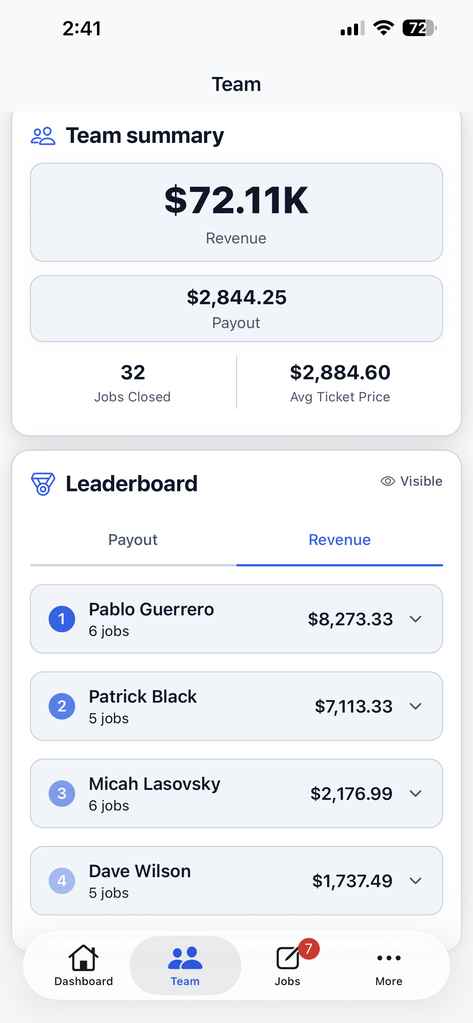
You decide how much company performance data is exposed. Enable the leaderboard when it fits your culture and choose whether technicians can see profit information.
Commission rules and administrative settings stay private.
Give technicians a scoreboard they can use
Earnings tell them what they made. Their scorecard tells them how they're performing. The leaderboard tells them where they stand.
Explore the platform
Commission Management
Set, split, and adjust tech commissions at the service item level
Spiff Management
Create fixed-rate spiffs tied to specific services in your catalog
Callback Tracking
Track warranty work back to the job and adjust commissions when needed
Leaderboard
Rank techs by revenue, profit, or total payouts in real time
Scorecards
See per-tech performance stats including ticket size, margin, and callback rate